Appearance
How to Install
The easiest way to install and license is by using the aescripts + aeplugins manager. To install a trial you can select 'Add Trial' from the 'Account' menu.
aescripts + aeplugins manager app (Recommended)
- Download and install the aescripts + aeplugins manager app from here
- Login to the manager app with your aescripts + aeplugins account that you used to purchase Despill Maestro.
- To install a trial you can select 'Add Trial' from the 'Account' menu
- Find
Despill Maestroin your list of purchases. - Select it and choose
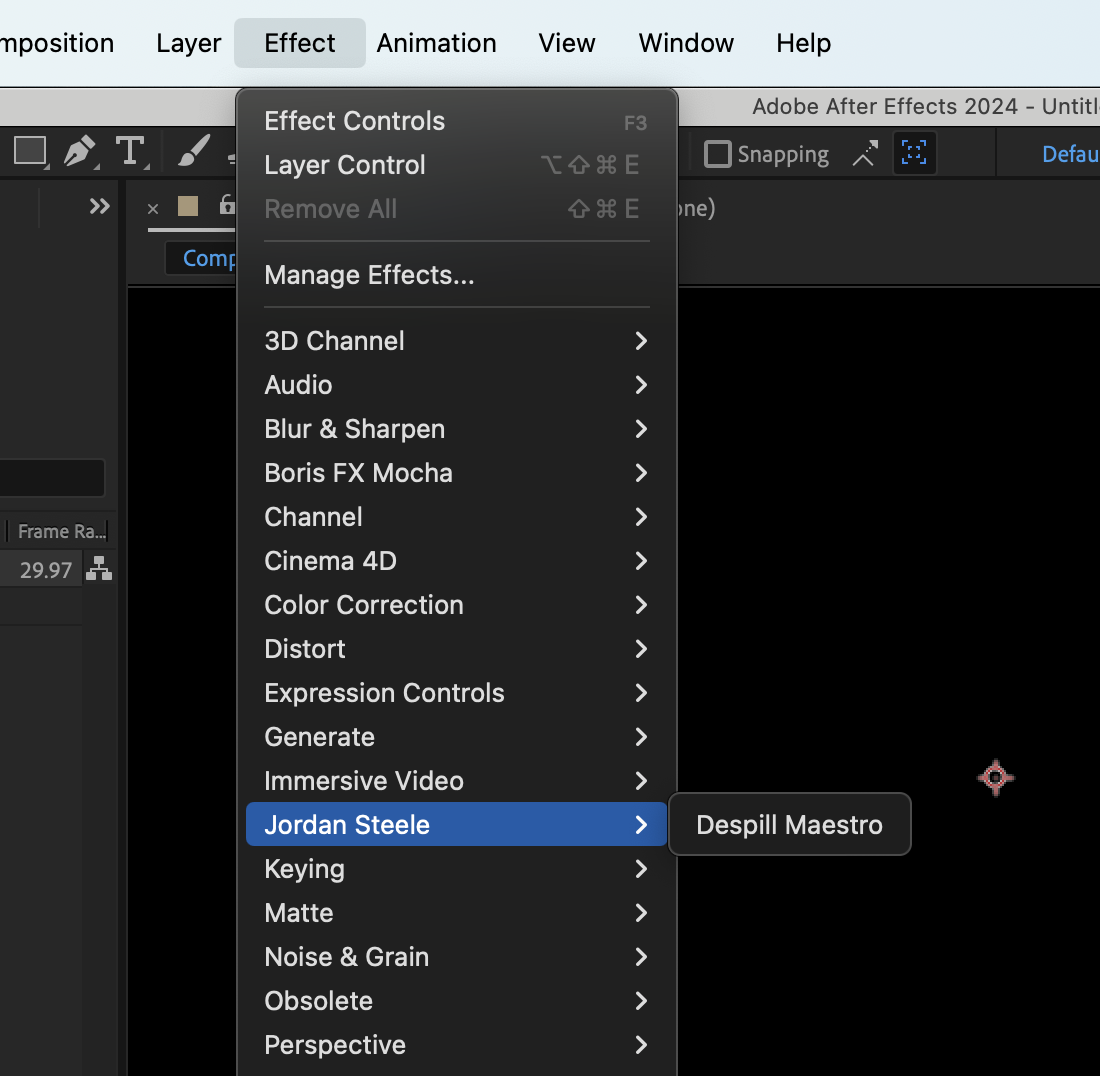
Install - Launch After Effects and go to Effect → Jordan Steele → Despill Maestro to apply the effect.
Manual Installation
- Download the latest release of Despill Maestro
- Close After Effects if it's currently running
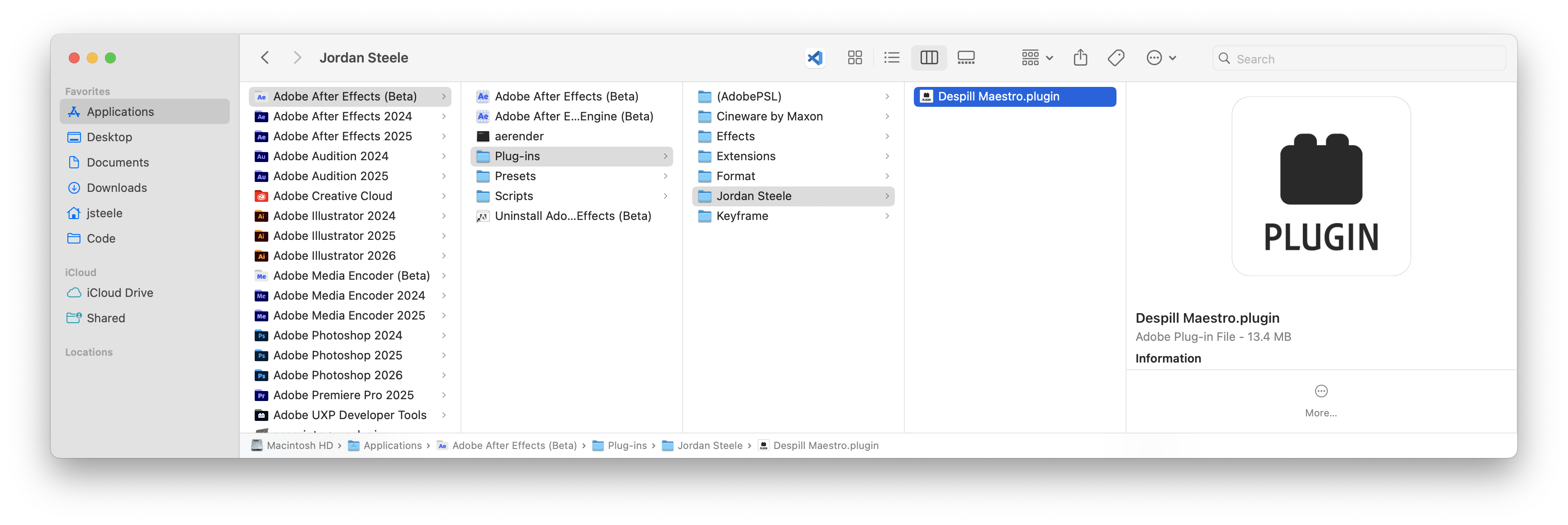
- Copy the plugin file to your After Effects plugins folder:
- macOS:
/Applications/Adobe After Effects [version]/Plug-ins/Jordan Steele - Windows:
C:\Program Files\Adobe\Adobe After Effects [version]\Support Files\Plug-ins\Jordan Steele
- macOS:
- Launch After Effects
- You can then apply the effect from Effect → Jordan Steele → Despill Maestro
Trial Version
A full featured trial version is available but it is watermarked until purchasing.